Helpdesk & IT support
Remote support that never leaves your network.
Watch or take control of a signed-in desktop over the mesh you already run — governed by its own rule family, gated by consent, and recorded on every attempt, including the refusals.
- separate rule family
- consent with 30s auto-deny
- view-only or full control
- audit log on business+
Authorization
Reaching a desktop is not a traffic permission.
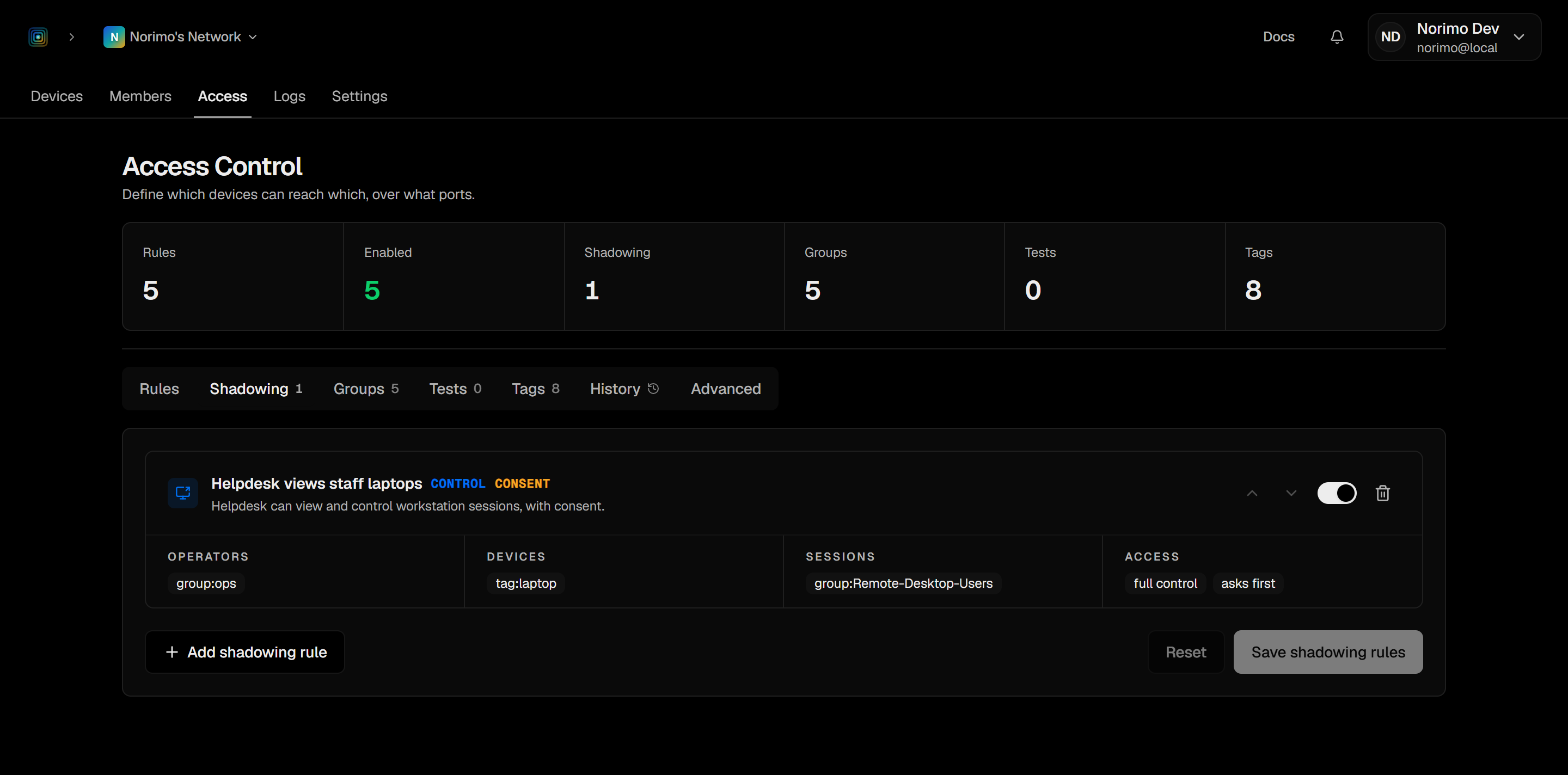
- Two gates: the network policy switch, and a rule that matches viewer, target, and session
- A shadowable device is visible by name even with no traffic rule connecting you
- An unparseable policy fails closed — it denies rather than falling back
Consent
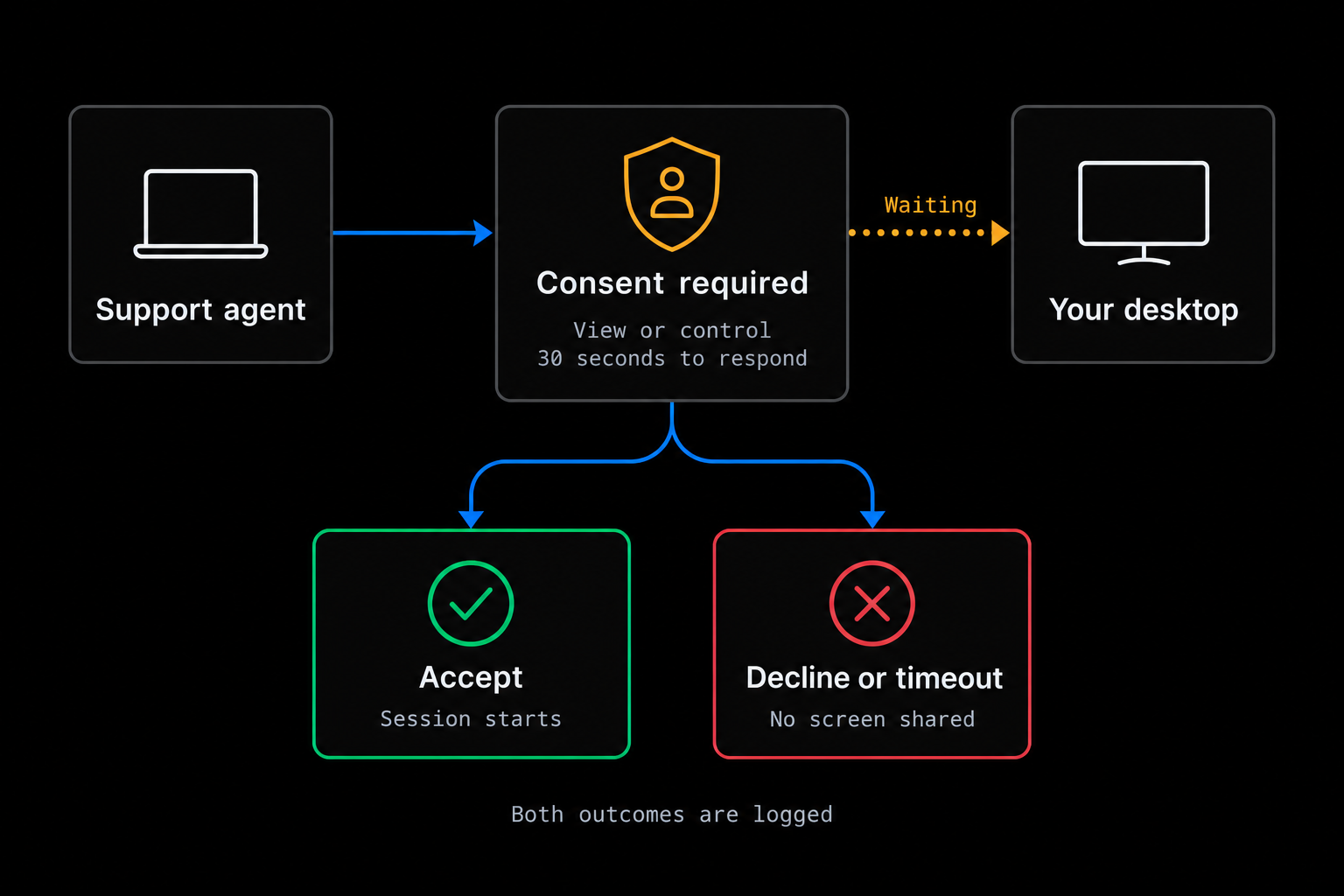
Nothing streams until the person says yes.
- A declined or unanswered request shares no screen
- Unattended machines can never be shadowed under a consent-required rule
- Asking for control under a view-only rule connects read-only rather than refusing
- The person at the desk can end the session at any time with Stop or Ctrl+Alt+S (⌃⌥S on a Mac)
Audit
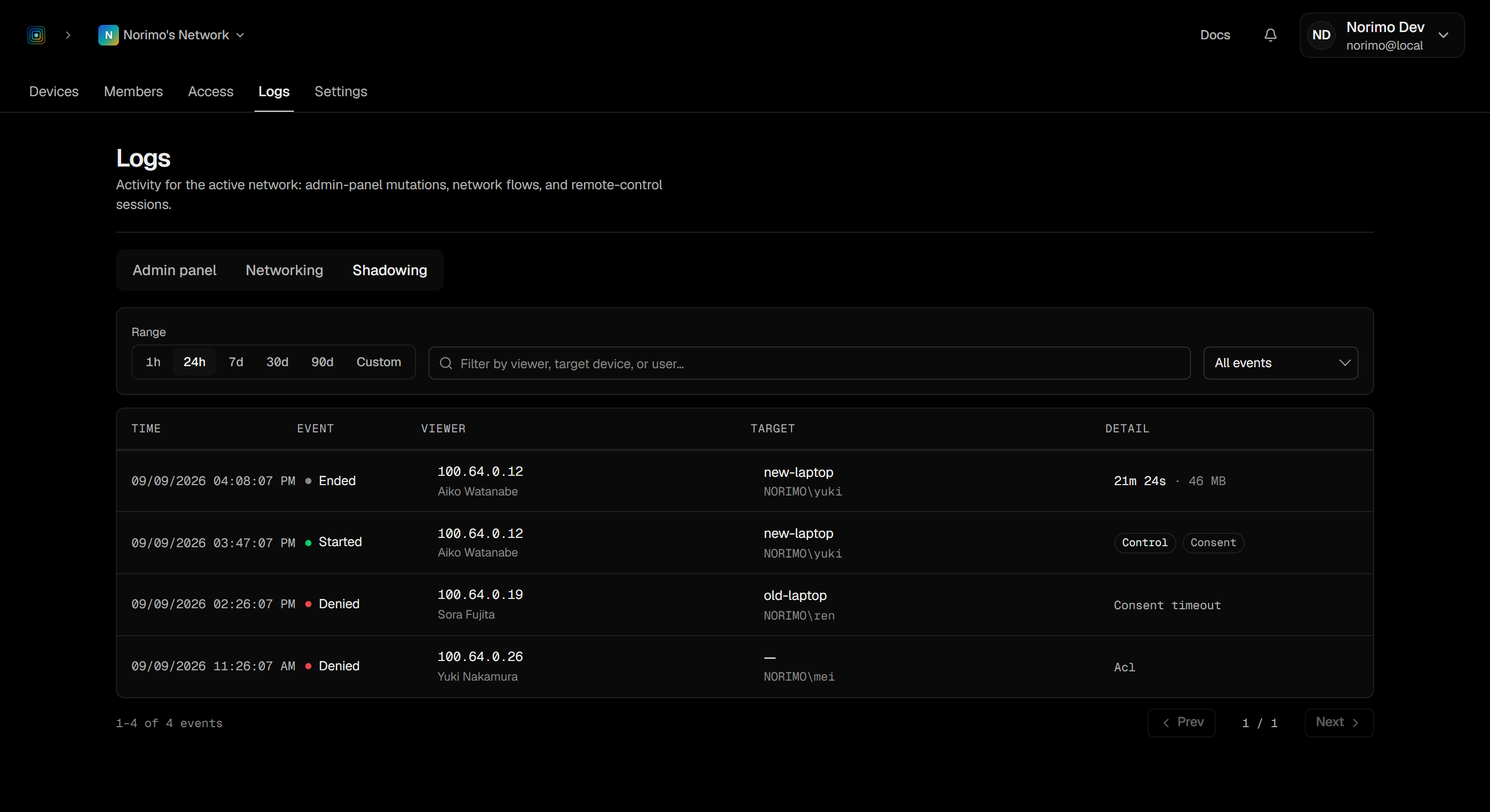
Sessions and denials are on the record.
denied, started, terminated, revoked when a live session is cut off because policy changed underneath it, and stopped_by_target when the person at the device ends it. Activity logs, including this trail, are part of the Business and Enterprise plans and are kept for 90 days.- The viewing device and its assigned IP on every event
- Target session and the account signed into it, plus duration
- Denials carry the reason, so you can tell a policy problem from a missing session
What you get
Controls that survive an audit.
Support tooling usually trades away either privacy or accountability. These are the properties that let you keep both.
Its own rule family
Shadowing rules sit beside traffic rules but grant nothing else. TCP access to a device does not let you watch it.
Sessions named explicitly
Rules match the target machine’s own accounts and groups. An empty session list matches nothing — deliberately.
View-only or full control
Control is a conjunction: the viewer gets input only if they asked for it and the winning rule grants it.
Consent, with a deadline
A consent-required rule prompts the signed-in user and auto-denies after 30 seconds, so an empty desk is never shadowed.
Streams inside your mesh
The session rides the same end-to-end encrypted channel (AES-256-GCM) as the rest of your traffic. No third-party service is involved.
Denials are recorded too
On Business and Enterprise, a refused shadowing request lands in the log with its reason, such as an ACL denial.
Frequently asked
Questions we actually get.
Can a helpdesk agent watch anyone they can reach?
shadowing rule, name a session that rule permits, and — if the rule says so — get the signed-in user’s consent. Any failure denies.Does the screen stream leave our network?
Can we shadow an unattended server or kiosk?
What if two rules could match the same request?
Which plans include this?
unsupported. Details in the shadowing docs.Pricing
Start free. Grow when you need to.
Every paid plan starts with a 14-day trial, and a trial never asks for a card.
Personal
Free
Your own private mesh, free forever.
Team
Popular$6/user/mo
Small teams sharing a private network.
Business
$16/user/mo
Growing organizations with operational needs.
Enterprise
Custom
Custom controls and procurement.
Support a desktop without shipping it to a third party.
Write one shadowing rule, prompt for consent, and read the trail afterwards. All on the network you already control.